
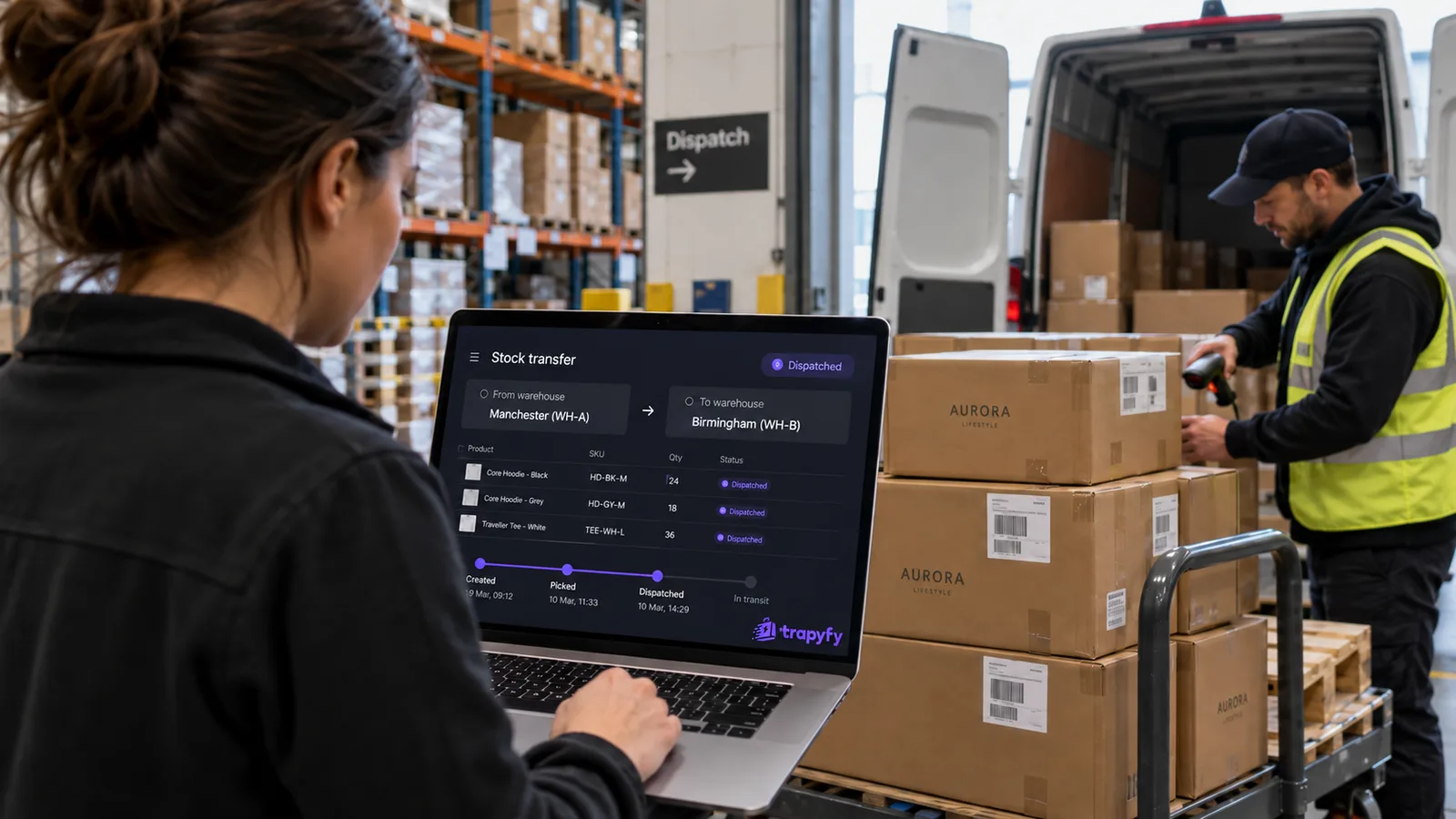
An inventory transfer looks simple on paper: 40 units leave one warehouse and 40 arrive at another. In practice there’s a gap between the two. Once the cartons are on a van they’ve left the source warehouse but haven’t reached the destination, and your stock figures still have to say where those units are and whether anyone can buy them.
Most transfer mistakes start in that gap: stock that sells twice, units that seem to vanish, short deliveries that nobody records. This guide follows one transfer through review, dispatch, transit and receipt, then through the exceptions: a partial delivery, units that never arrive, a cancellation, and a refund that comes in after the stock has moved.
What an inventory transfer is, and what it isn’t
An inventory transfer is the recorded movement of stock from one of your own locations to another. It changes where units are held, not how many you own: nothing is bought or sold, and total stock stays the same unless units are lost on the way. A transfer has a start (dispatch), a middle (in transit) and an end (receipt).
It’s easy to confuse with three other movements:
- An inventory adjustment corrects the quantity at one location after a count, a write-off or a data error. Total stock goes up or down.
- A purchase order brings new stock in from a supplier. Total stock goes up.
- A fulfilment shipment sends stock to a customer. Total stock goes down.
How many locations to run, and how to split stock between them, is a wider question. Our guide to managing inventory across several warehouses covers it. This article sticks to one job: moving stock from A to B and keeping the numbers right while you do it.
Why a transfer beats editing two stock numbers
A quick way to “move” ten units is to subtract 10 at Warehouse A and add 10 at Warehouse B. It works until something goes wrong.
If you make two separate manual adjustments, the edits themselves don’t create a record linking the movement from A to B. On their own, they don’t show that the minus and the plus were the same ten units, or what happened in between:
- Add the units at B when the van leaves, and B can sell stock it doesn’t hold yet.
- Forget the second edit, and the units drop out of the figures.
- If only eight arrive, there’s no obvious place to record the other two.
A transfer keeps the movement as one record (source, destination, products and quantities) and models the journey: a defined point where stock stops counting at A, and a later one where it starts counting at B. In Trapyfy, a transfer is a document for exactly this reason. It records what moved, who moved it, when, and the quantities on both sides.
The five stages of an inventory transfer
In Trapyfy, inventory transfers between warehouses follow five steps:
- Pick the source and destination. Both must be your own warehouses. A warehouse can be any named stock location or pool (a shop, a distribution point, a shared pool or a temporary event allocation), assigned to one or more countries.
- Add lines. Each line is a product, variation, country and quantity, and the quantity available at the source is shown as you go.
- Review the diff. You see what each warehouse holds now and what it will hold afterwards.
- Confirm, which dispatches the transfer. Stock leaves the source warehouse and is in transit.
- Receive. Stock lands at the destination: in full, in part, or with units recorded as lost.
The flow in one line: source warehouse → confirm (dispatch) → in transit, counted in neither warehouse and not sellable → receive, in full or in part → destination warehouse. Closing the transfer records any missing units as lost; cancelling it returns units not yet received to the source.
The table below shows where stock counts at each stage. The stage names are plain descriptions, not screen labels. For the product side, see Trapyfy’s inventory control.
| Stage | Source stock | In transit | Destination stock | Sellable? |
|---|---|---|---|---|
| Under review | Unchanged | None | Unchanged | Nothing has moved; source stock sells as normal |
| Dispatched / in transit | Down by the dispatched quantity | All dispatched units | Unchanged | In-transit units: from neither warehouse |
| Partially received | Down by the dispatched quantity | Units not yet received | Up by the units received | Received units at the destination; the rest from neither |
| Fully received | Down by the dispatched quantity | None | Up by the full quantity | Yes, at the destination |
| Closed with a shortfall | Down by the dispatched quantity | None | Up by the units actually received | Missing units recorded as lost; sellable nowhere |
| Cancelled after dispatch | Unreceived units return | None | Keeps units already received | Returned units are back in source stock |
Stock leaves the source warehouse at dispatch
Inventory tools differ on when transferred stock stops counting at the source. Some take it out when the transfer is created, others when it ships. The timing matters, because it sets the window in which the same units could be promised twice.
In Trapyfy, that moment is confirmation. Nothing moves while you build or review the transfer. Confirming dispatches it: the quantity leaves the source warehouse and goes into transit in one step.
The review before that does real work. Trapyfy shows the before-and-after diff for both warehouses and blocks lines that can’t go ahead, such as a line asking for more units than the source holds or a line for a country the destination warehouse doesn’t stock. Those lines can’t be confirmed until they’re fixed.
It also handles numbers that change while the review screen is open. Illustrative example:
- The source shows 20 units and you’re transferring 8, so the diff shows 20 → 12.
- While the review is open, a customer buys one. The source now holds 19.
- When you confirm, Trapyfy rejects the confirmation and shows a fresh diff: 19 → 11.
In Trapyfy, if stock changes during review, the confirmation is rejected and a fresh diff is shown before the transfer can be confirmed.
Stock in transit belongs to neither warehouse
Can stock in transit be sold? In Trapyfy, no. Stock in transit is removed from the source at dispatch and doesn’t become available at the destination until it’s received. In between it belongs to neither warehouse, so neither one offers it to customers. The transfers list shows an In transit column, so you can still see where it went.
Units on a van can’t be picked, packed or handed over from either site. If the source kept counting them, it could sell stock it no longer holds. If the destination counted them straight away, it could sell stock that hasn’t arrived and might not arrive in full.
Keeping stock under transfer off sale at both ends closes that particular gap. It doesn’t deal with other causes of overselling, such as late updates or inaccurate counts; our guide to how overselling happens in a Telegram store covers those. What it does stop is a transfer counting the same units as sellable in two places.
Units moving between your own warehouses remain your stock throughout. What changes during a transfer is their location and whether they can be sold.
Partial receipts: receive what arrived, keep the rest in transit
Deliveries don’t always arrive together: a pallet is split across two vans, a carton is left behind, a courier delivers in two drops. In Trapyfy you don’t have to receive everything at once. You receive what arrived, those units enter the destination warehouse, and the rest stays in transit until you receive it or close the transfer. Units still on the way can’t be sold from either warehouse.
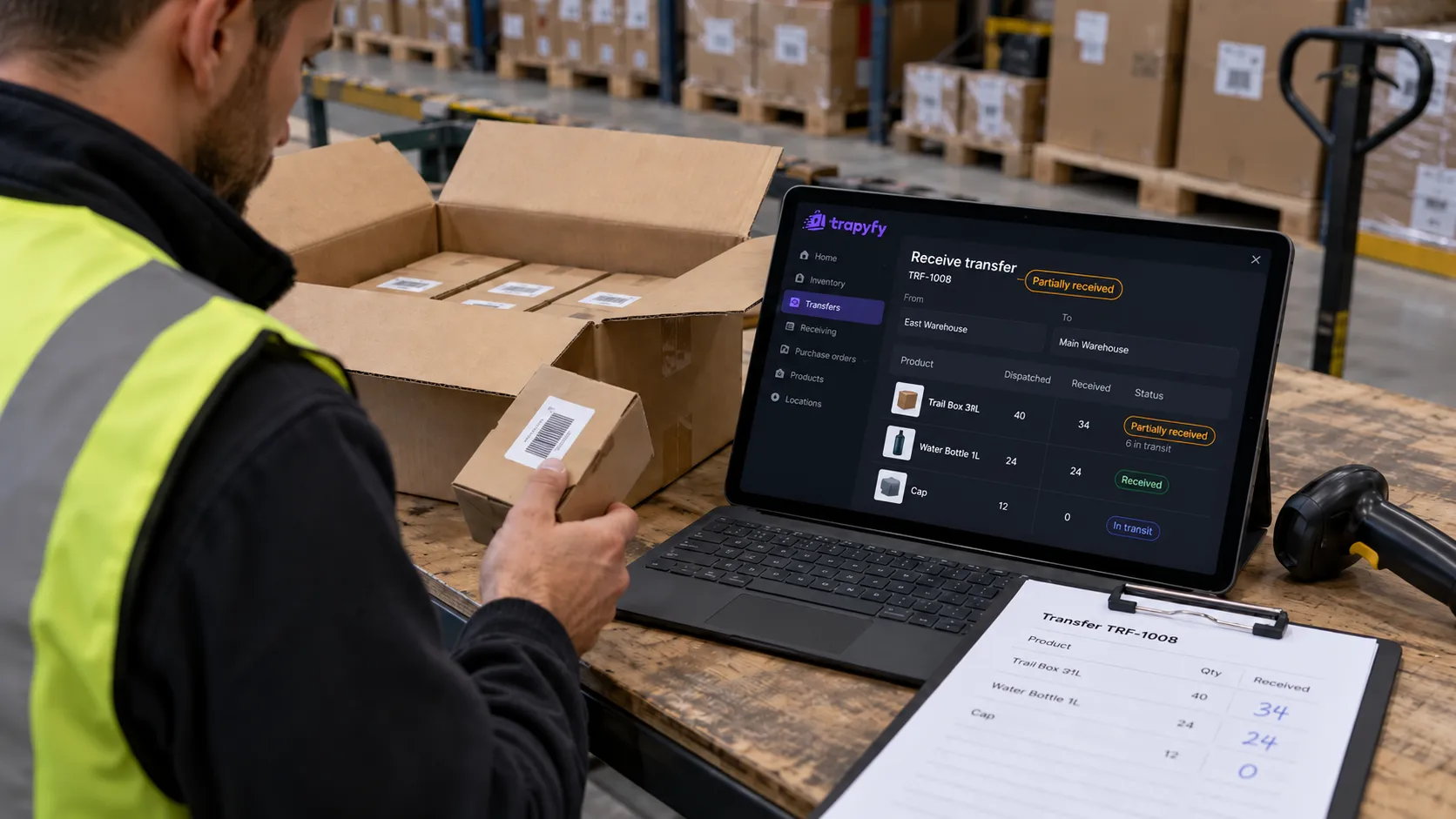
Illustrative example (not data from a real account): one transfer of 40 units, from dispatch to close.
| Moment | Source | In transit | Destination | Lost |
|---|---|---|---|---|
| Before the transfer | 120 | 0 | 15 | 0 |
| Confirm and dispatch 40 units | 80 | 40 | 15 | 0 |
| First delivery: 34 received | 80 | 6 | 49 | 0 |
| Next day: 4 more received | 80 | 2 | 53 | 0 |
| Transfer closed: 2 never arrived | 80 | 0 | 53 | 2 |
At dispatch the source drops from 120 to 80, and nothing reaches the destination yet. Only the 34 that arrive become available there, while the 6 still owed stay in transit. The next 4 are received the same way. The last 2 never appear, so closing the transfer records them as lost. Every row adds up to the same 135 units.
Losses, damage and quantity mismatches
In Trapyfy, units that never arrive are recorded as lost when you close the transfer. They left the source and were never received, so they’re accounted for as lost. They don’t stay in transit, and they don’t go back to the source.
Good practice (general habits, not Trapyfy features):
- Count what arrives against the dispatched quantity before receiving anything.
- Receive only what’s physically there.
- Chase missing units with the carrier or the dispatching team before closing.
- Handle damaged units under your normal damaged-goods process, which for many businesses means photos and the carrier’s delivery note.
| Problem | What to do |
|---|---|
| Fewer units arrived, more are expected | Trapyfy: receive what arrived; the rest stays in transit. Practice: note what’s outstanding and follow it up. |
| Fewer units arrived, nothing more is coming | Practice: check with the dispatching side and the carrier first. Trapyfy: close the transfer; missing units are recorded as lost. |
| The shipment never left the source | Trapyfy: cancel the dispatched transfer; everything not yet received returns to the source. |
| Stock changed while you were reviewing | Trapyfy: the confirmation is rejected and a fresh diff is shown. Check it and confirm again. |
| Goods arrived damaged | Practice: follow your damaged-goods process (evidence, carrier claim, write-off decision). Don’t treat damaged units as sellable just because they arrived. |
When to close or cancel a transfer
Both actions end a transfer that didn’t go to plan. They do opposite things with the units still outstanding.
Close when the movement is over and some units never arrived. Received units stay at the destination, and the outstanding units are recorded as lost. A practical rule: close only once you’re confident nothing more is coming. Close too early and a late delivery is already recorded as a loss. Leave it open unnecessarily and the unresolved units stay recorded as in transit.
Cancel a dispatched transfer when the remaining units aren’t going to the destination after all, for example because they never left. In Trapyfy, cancelling returns everything not yet received to the source. Units already received don’t move back: if 34 of 40 have been received, the 6 outstanding return to the source and the 34 stay at the destination.
One-step moves between shelves, two-step moves between sites
Some moves have no real journey. Stock going from one shelf to another takes minutes. Trapyfy documents Move now for stock moving between shelves, where dispatch and receipt happen together, rather than for a normal transfer between sites. It shows the same review diff first, then does the dispatch and the receipt in one step. For a transfer between two sites, the two-step flow is the one that keeps in-transit stock off sale and leaves room to record a shortfall.
Transfer, adjustment, replenishment or purchase order?
Systems name these movements differently. As general working definitions:
| Movement | Changes total stock? | Moves stock between locations? | Typical trigger | Record |
|---|---|---|---|---|
| Inventory transfer | No, except units recorded as lost | Yes, between your own locations | Rebalancing, stocking a shop or event, emptying a site | Transfer with source, destination, lines and quantities |
| Inventory adjustment | Yes, up or down | No | Stock count, write-off, correction | Adjustment at one location, ideally with a reason |
| Replenishment | Depends how it’s filled | Often | A location running low | Usually a transfer or a purchase order |
| Purchase order | Yes, up | Supplier to you | Buying stock | Purchase order and goods receipt |
| Fulfilment movement | Yes, down | You to a customer | A customer order | Order and shipment |
If total stock should stay the same and only the location changes, record it as a transfer, not a pair of adjustments.
What changes after a transfer
In Trapyfy, a transfer has three knock-on effects worth knowing in advance:
- Low-stock alerts can fire. Moving stock out can take a warehouse under its low-stock threshold, and the alert fires as normal.
- Later orders may be allocated differently. Trapyfy allocates orders from the fullest warehouse first. Illustratively: if A holds 50 units and B holds 30, A is the fuller warehouse. After you move 30 from A to B (A 20, B 60), B becomes the fuller one for that stock. That can change which warehouse Trapyfy selects for later eligible orders.
- Refunds go back where the units came from. If an order is cancelled or refunded after a transfer, its units return to the warehouse they physically left from, not to wherever that stock has since been moved. The transfer doesn’t change the order’s record of where its units came from.
Bringing event stock home
A dedicated event warehouse keeps show stock separate from your main stock. After the event:
- Transfer what’s left back to your main warehouse.
- Receive it when it’s back on the shelf.
- Close the transfer once you know what isn’t coming back. Anything missing is recorded as lost, which accounts for the units that didn’t return.
For the rest of the event workflow, see our guide to running a kiosk at a trade show.
How Trapyfy handles inventory transfers
In Trapyfy, an inventory transfer is a reviewable document between two warehouses in the same organisation:
- Review: you check a before-and-after diff. Lines that can’t go ahead are blocked, and a confirmation is rejected if stock changed during review.
- Dispatch: confirming dispatches the stock. From then until it’s received, in full or in part, it belongs to neither warehouse and can’t be sold.
- Losses and cancellation: units that never arrive are recorded as lost at close. Cancelling returns anything not yet received to the source.
- Move now: handles one-step moves between shelves.
- Permissions: owners and admins can create, dispatch, receive and cancel transfers. Other team members need that permission on their role.
Products, per-warehouse stock and transfers sit together in product and inventory control.
A checklist for dispatching and receiving inventory
These are general operational checks. The one Trapyfy enforces is marked.
Before dispatch
- The source physically holds the units, not just on screen.
- Each line’s quantity matches what’s being packed.
- The destination stocks the country on each line. (Trapyfy blocks lines where it doesn’t.)
- The receiving team knows the transfer is coming.
- No unresolved count discrepancy at the source is carried into the transfer.
On arrival
- Count before receiving anything.
- Receive only what physically arrived.
- Note what’s still expected, and from whom.
- Investigate short or damaged quantities.
- Close only once you know what isn’t coming.
Frequently asked questions
What is an inventory transfer?
An inventory transfer is the recorded movement of stock from one of your own locations to another, such as from a main warehouse to a shop. It changes where units are held, not how many you own. It has a dispatch, a period in transit and a receipt, and it records the source, destination, products and quantities.
Can you sell stock while it’s in transit between warehouses?
In Trapyfy, no. Once a transfer is confirmed and dispatched, the units leave the source warehouse, and they only become available at the destination when they’re received. While in transit they belong to neither warehouse, so neither can sell them. That stops units on a van being sold as if they were on a shelf.
What happens if an inventory transfer arrives short?
Receive what actually arrived; only those units enter the destination warehouse. In Trapyfy, the rest stays in transit until it arrives or you close the transfer. If the missing units never turn up, closing the transfer records them as lost, so the shortfall is accounted for rather than absorbed into the destination’s count.
When should you close an inventory transfer?
Close it once the movement is finished and you’re confident nothing more is coming. In Trapyfy, any units still outstanding at that point are recorded as lost. Closing too early records a late delivery as a loss, and leaving a transfer open unnecessarily keeps unresolved units in transit, so follow up missing units first.
What’s the difference between an inventory transfer and an inventory adjustment?
An inventory transfer moves stock between two of your own locations and leaves total stock unchanged, apart from any units recorded as lost. An inventory adjustment changes the quantity at one location, usually after a count, write-off or correction. Two manual adjustments used in place of a transfer don’t, by themselves, record the movement between locations.
Who owns inventory in transit between your own warehouses?
You do. An internal transfer doesn’t change who owns the units, only where they are. The practical question during a transfer is location and sellability: the units shouldn’t be sold from either warehouse until they’re received.
If an order is refunded after a transfer, which warehouse gets the stock back?
In Trapyfy, the warehouse the units physically left from. If an order is cancelled or refunded after you’ve moved stock, its units return to their original warehouse, not to wherever that product’s stock has since been transferred. A later transfer doesn’t change the order’s record of where its units came from.
Every unit accounted for, from dispatch to the destination shelf
A well-run inventory transfer leaves no unit unexplained:
- The source drops at dispatch.
- The units stay in transit, off sale, while they travel.
- The destination rises only when stock is received.
- Units that never arrive are recorded as lost when you close.
- Units not yet received go back to the source if you cancel.
When each of those states is recorded, you can check any transfer line by line after the fact.
To run transfers that way across your own warehouses, create a Trapyfy account and set up your first one.