

When a Telegram store is small, manual work can feel almost charming: you confirm payments yourself, adjust stock when you have time, and answer customers as they message. Then the store grows. Orders overlap, messages pile up, and one missed stock update turns into an oversold item and a public complaint. In that moment, telegram store automation stops being “optimization” and becomes operations.
This is not about turning your store into a cold bot. Done properly, telegram store automation makes the customer experience more trustworthy: clear confirmations, accurate availability, predictable delivery updates, and fast answers when buyers have questions. The result is fewer mistakes, fewer late-night firefights, and a store that can scale without burning out the team behind it.
What “end-to-end” telegram store automation actually covers
A lot of sellers think automation means one feature—an auto-reply or a confirmation message. Real telegram store automation connects the entire lifecycle: from checkout to payment, from payment to fulfillment, from fulfillment to post-sale support. That’s why it’s often discussed as telegram ecommerce automation: it’s not a single workflow, it’s a system. In practice that means one connected layer that can manage incoming orders from confirmation through to delivery.
An end-to-end setup typically includes:
- Order creation and status tracking (so nothing gets lost)
- Payment-triggered updates (so customers aren’t left guessing)
- Inventory rules (so you can prevent overselling telegram store problems)
- Self-serve support with clear escalation (so the inbox doesn’t explode)
If your goal is to automate telegram store operations, this is the checklist that matters—not just a nicer welcome message.
Step 1: Order flow first (the backbone of telegram store automation)
Every store needs a “source of truth.” In Telegram, that source of truth is your order record: what was bought, when, by whom, what the current status is, and what happens next. Without that, telegram store automation becomes guesswork.
Build a status ladder that matches real fulfillment
A useful telegram order management ladder stays short. Trapyfy documents four order statuses, and they carry the whole lifecycle:
- Pending payment (order created, awaiting payment confirmation)
- Paid (payment confirmed)
- Completed (order delivered and closed)
- Cancelled (cancelled by merchant or customer)
Packing, dispatch and delivery are tracked against the order rather than as extra statuses — the shipping company and tracking number are recorded on the order itself. Refunds sit outside this ladder altogether: cancelling an order is not the same as refunding the payment, which is a separate post-purchase workflow.
This structure is not corporate overhead—it’s the trigger system for telegram shop automation. Each status change should unlock the next action automatically.
Automations that should happen by default
To automate telegram orders reliably, wire these triggers into the flow:
- Pending payment → Cart summary + next step
Short recap, clear total, and one primary CTA. - Paid → Instant confirmation + expectations
A receipt-style message plus “we’ll update you here.” - Tracking number added → Tracking update + delivery guidance
Make it obvious what customers should do if delivery is delayed. - Payment failed/timeout → Recovery options
Retry, switch payment method, or contact support—without blame.
Payment reliability is foundational—here’s a practical guide to accept payments in Telegram without breaking the checkout flow.
These are the foundations of telegram store automation because they reduce uncertainty at exactly the moments customers are most likely to hesitate.
Step 2: Inventory automation to prevent overselling
If orders are the backbone, inventory is the fragile part. In Telegram commerce, availability changes quickly and customers expect answers immediately. Strong telegram inventory management is what keeps your store honest.
A big reason stores invest in telegram store automation is to stop overselling before it happens—not to apologize afterward.
The two actions that make inventory work
To run serious telegram stock management, separate inventory into:
- Reserve stock when checkout starts (temporary hold)
- Deduct stock only when payment is confirmed (final)
That one distinction is the simplest way to prevent overselling telegram store incidents, especially when multiple buyers hit the same SKU at once.
Treat the timings below as an operating principle you design around rather than a setting you will find on a platform. What Trapyfy documents is the structure underneath it: stock held per warehouse and per variant, products with zero stock hidden from the storefront unless backorders are enabled, and a cart expiration window you set at organisation level — most stores keep carts for days, not minutes. Choose a hold that matches the payment methods you actually accept.
Reservation rules that don’t annoy buyers
Inventory holds should feel fair, not manipulative:
- Hold stock for a short, defined window once checkout begins — long enough for the payment method to clear, short enough that the unit is not parked all day
- Release the hold when the window closes without payment, rather than leaving it to someone to notice
- If stock is low, communicate it early, not at the payment step
In practice, this is where telegram store automation protects conversion: it avoids the late-stage “sorry, out of stock” moment that kills trust.
The inventory checklist that keeps you sane
A robust telegram inventory management setup should:
- Deduct stock on “Paid,” instantly
- Put returned stock back manually, per warehouse, once the item is inspected
- Track variants properly (size/color as separate pools)
- Keep zero-stock items out of the storefront — in Trapyfy a published product with no warehouse stock is hidden unless you have deliberately enabled backorders
- Alert you when items drop below a threshold
If those rules exist, telegram shop automation stops feeling like a collection of hacks and starts feeling like a real store system.
Step 3: Customer support automation that still feels human
The fastest way to feel overwhelmed is a store that sells well but answers questions slowly. Buyers don’t only ask “where is my order?”—they ask it repeatedly, in different ways, often at the worst time. That’s why telegram customer support automation is not optional once volume grows.
The goal is not to eliminate support. The goal is to eliminate repetitive support.
Start with the questions that dominate your inbox
Most stores can reduce support load sharply by automating:
- Order status and tracking
- Shipping time expectations
- Payment confirmation and failed payments
- Changes/cancellations
- Refunds and returns
- Availability/stock checks
This is exactly what a telegram support bot for ecommerce should do well: answer the obvious quickly, and route everything else to a person with context.
Make “Track my order” your first support feature
The highest ROI move in telegram customer support automation is to connect support directly to telegram order management:
- If the user has an active order, show status automatically
- If shipped, show tracking and next update expectations
- If awaiting payment, offer “resume checkout” instantly
When support is connected to the order record, telegram store automation reduces tickets instead of generating new confusion.
Human handoff is part of automation, not a failure
Good telegram store automation includes an escape hatch:
- “Talk to support” should always be visible near payments and tracking
- The handoff should pass context automatically: order ID, status, topic
This is how you automate telegram customer support without trapping customers in menus or making them repeat themselves.
Step 4: The “edge cases” that break telegram store automation (and how to handle them)
Most automation fails in the messy 10%: the real-world exceptions. If you want telegram store automation that holds up, design for these cases from day one.
Payment mismatches
Common scenarios:
- Payment succeeded but the confirmation message didn’t send
- Customer paid twice
- Payment timed out but later completed
Your workflows should reconcile payment events against orders and define outcomes clearly — confirm the order, cancel it, or make the customer whole. Be precise about that last one: cancelling an order in the store is not the same as returning the money, and refunding a confirmed payment is a separate workflow handled through your payment provider rather than a status change. Deciding in advance who does which, and in what order, is one of the biggest differences between casual bots and true telegram ecommerce automation.
Stock conflicts
Edge cases include:
- Two reservations collide on the last unit
- Stock changes while someone is in checkout
- Refund returns stock incorrectly
These are usually solved by strict reservation rules and variant-level inventory—core principles of telegram stock management.
Support loops
Customers will:
- ask outside your menu
- repeat questions
- escalate when anxious
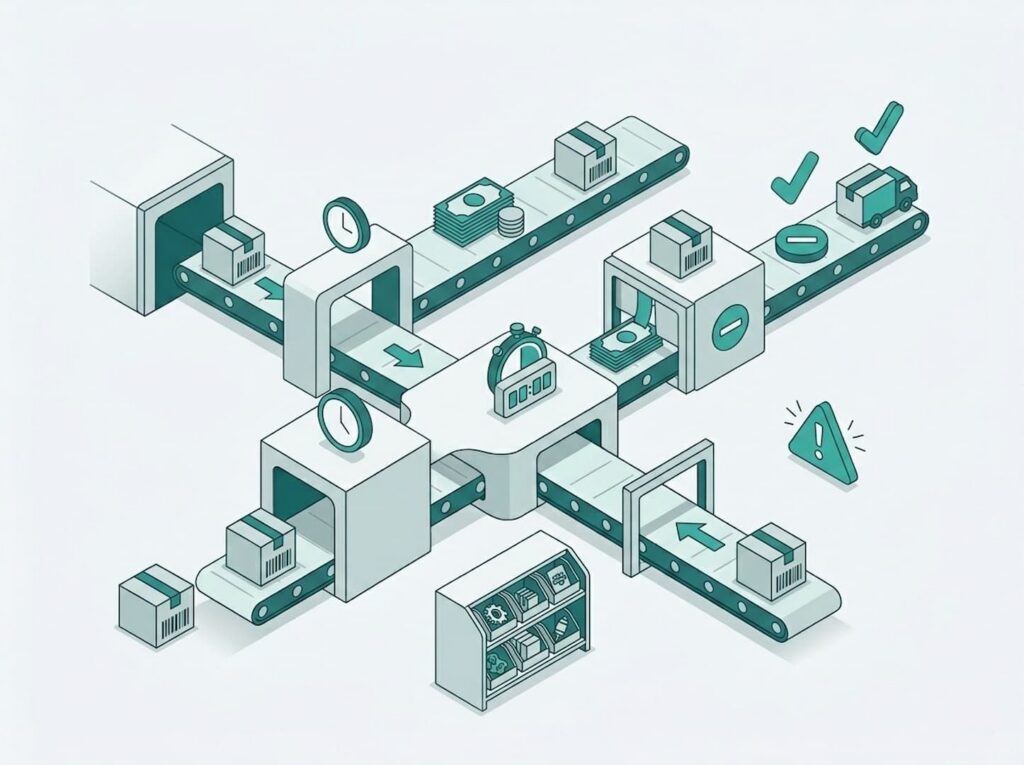
A strong telegram customer support automation setup detects frustration early and offers escalation quickly.
Step 5: Implement in the right order (so you don’t break the store)
If you try to automate everything at once, you’ll create chaos. The safer rollout for telegram store automation is layered:
- Automate orders first (statuses + confirmations + shipping updates)
- Add inventory rules (reserve → deduct → restore where relevant)
- Add support automation starting with order tracking
- Add recovery flows for failed payments and drop-offs
- Tighten weekly based on metrics
This rollout works whether you’re building custom logic or using a telegram shop without coding approach—because the sequence follows the customer journey. If you want to launch fast, start with a telegram shop without coding and layer automation as you grow.
What to measure to prove your telegram store automation is working
You don’t need a complex dashboard to evaluate telegram store automation. Track these weekly:
- Checkout starts → paid orders
- Payment failure rate
- Average time from paid → shipped
- Support contacts per 100 orders
- “Where is my order?” share of tickets
- Oversell incidents (should trend to zero)
If those improve, your telegram shop automation is doing its job: fewer errors, faster fulfillment, fewer repeated questions.
The real payoff: a Telegram store that runs like a system
Telegram commerce works because it feels direct and personal. The aim of telegram store automation isn’t to remove that personality—it’s to remove bottlenecks. When orders update automatically, inventory stays accurate, and customers can self-serve the basics, the experience becomes smoother for buyers and dramatically calmer for operators.
Start with what breaks most often: order confirmations, stock accuracy, and “where is my order?” questions. Tighten those, and telegram store automation becomes less of a project and more of a competitive advantage—one that keeps selling even when you’re offline.
Once operations are stable, shift focus to growth: here’s how to get your first 100 sales with a Telegram store.